Online Safety - Are you Cyber-Secure?
Whether you're a complete beginner or just looking to brush up on the basics, we're going to cover some essential tips to help keep you and your data safe online.
In today's digital world, cyber threats are everywhere – from sneaky phishing emails to sophisticated scams – but the good news is that most of these can be prevented with some simple know-how. We'll walk through practical strategies you can start using right away.
Take our 4-question quiz to see if you're Cyber-Secure!

Where is the best place to store your passwords?

Passwords are your first line of defense to keep your data locked and out of sight from prying eyes and hands. Do you write your passwords on sticky notes you affix to the edge of your monitor, so you won’t forget them? If so, stop now!
- Use strong passwords that are at least eight characters long and include lower case letters, upper case letters, numbers, and special characters.
- Don’t duplicate your passwords and, when possible, try not to use your browser’s keychain as an easy way to remember them, as it can be another avenue for potential exploit.
- Use a password management software to store and update your passwords. Don’t save them in a spreadsheet, a text file, or on a sticky note.
*CREA Cafe - May 31, 2022
What is the best way to keep online accounts off-limits to strangers?
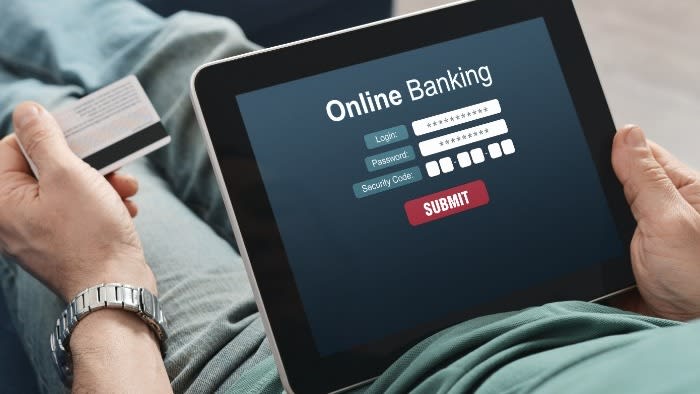
Do not use security questions where the answers can easily be found in your social media accounts.
*CREA Cafe - May 31, 2022
What is the best way to be cautious with information for online business tools?
Have you received emails that seem legit, but you are afraid to click on links?

Do not open attachments from untrusted sources.
Do not share your SIN#, Credit Card # etc., in any email.
Do not open attachments that you were not expecting, even if it is from someone you know. They may have been hacked to look like it is from them.
*CREA Cafe - May 31, 2022
The current smartphones and tablets are safe and have safety guards built-in. Yes or No?

Some tips:
- Make sure your device is encrypted
- Use a password or passcode to lock your device
- Set up auto-lock on all devices
- Enable automatic daily back-ups of your data to a cloud storage service
- Disable any app or setting that you don't need
- Keep your device software up-to-date, especially the operating system
*CREA Cafe - May 31, 2022
You got {number correct}/{number of questions} correct answers!
Oops! You're opening yourself up to possible cyber attacks or scammers!
Why not join our upcoming LSTAR REALTOR® Safety Webinar - Today’s Technology – Are You Vulnerable or Capable coming up on September 23? It's a great way to help you be aware and stay secure online!
Stay tuned for our next quiz!

You got {number correct}/{number of questions} correct answers.
Congratulations! You've aced this quiz!
Why not join our upcoming LSTAR REALTOR® Safety Webinar - Today’s Technology – Are You Vulnerable or Capable coming up on September 23? It's a great way to help you be aware and stay secure online!
Stay tuned for our next quiz!